


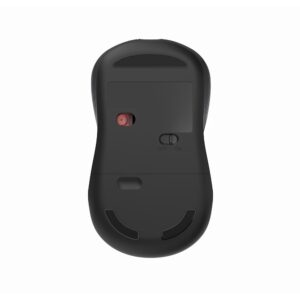

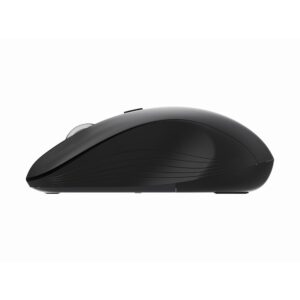
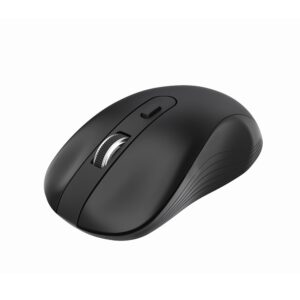
Wireless USB C Mouse WM 315
Original price was: ₹699.00.₹549.00Current price is: ₹549.00.
Inclusive of all taxes

A versatile wireless mouse for devices with USB-A or USB-C ports. The Koaty WM315 offers quiet clicks, selectable cursor speed and an ambidextrous shape for everyday work.
- 2.4 GHz wireless connectivity
- USB-A and USB-C receiver options
- Selectable DPI settings
- Silent-click design
- Comfortable for right- or left-handed use
- Up to 10 metres of wireless range
- Powered by an AA battery
Products
-
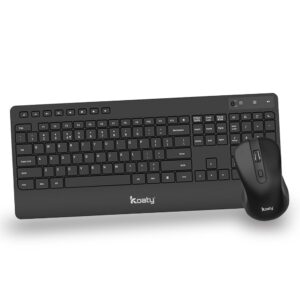
Wireless Keyboard & Mouse CW 325 Combo
Original price was: ₹1,999.00.₹1,599.00Current price is: ₹1,599.00. -
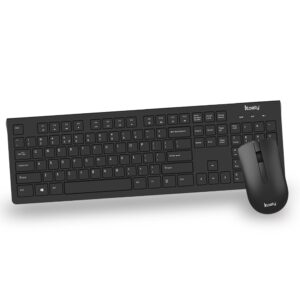
Wireless Keyboard & Mouse CW 125 Combo
Original price was: ₹1,299.00.₹999.00Current price is: ₹999.00. -
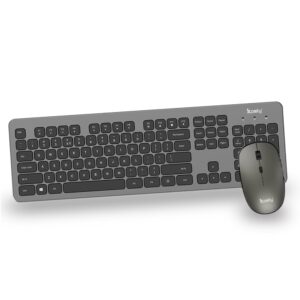
Wireless Keyboard & Mouse CW 525 Combo
Original price was: ₹3,999.00.₹3,199.00Current price is: ₹3,199.00. -
 Original price was: ₹499.00.₹399.00Current price is: ₹399.00.
 -
 Original price was: ₹699.00.₹549.00Current price is: ₹549.00.
Koaty WM315 USB-C Wireless Mouse
The Koaty WM315 is a 2.4 GHz wireless mouse built for modern laptops and desktops. USB-A and USB-C receiver options make it easier to connect across different devices without relying on an adapter. Silent clicks and selectable DPI settings help you work comfortably in shared offices, classrooms and home workspaces.
Key Features
- USB-A and USB-C connectivity: choose the receiver option that matches your device.
- Selectable DPI: change cursor speed to suit your screen and working style.
- Silent clicks: designed to reduce clicking noise during everyday use.
- Ambidextrous shape: comfortable for right- or left-handed operation.
- Up to 10 m range: dependable wireless freedom around your setup.
Compatibility and Box Contents
| Connectivity | 2.4 GHz wireless |
|---|---|
| System requirement | USB-A or USB-C port |
| Compatibility | Windows 7, 8, 10 and 11; macOS; Linux |
| Box contents | Mouse, receiver and battery |
| Model / SKU | WM315 / 3000 |
Who Is the WM315 For?
The WM315 is a strong fit for people who use a USB-C laptop, prefer quieter clicking, or want control over cursor speed. Compare it with the WM115 and WM711 on the Koaty wireless mouse page.
Compare Koaty Wireless Mice
| Model | Connection | DPI |
|---|---|---|
| WM115 | 2.4 GHz USB-A | 1000 |
| WM315 | USB-A/USB-C | Adjustable |
| WM711 | Bluetooth + 2.4 GHz | 800/1200/1600 |
Quick Setup and Troubleshooting
- Insert the supplied battery and switch the mouse on.
- Connect the supplied receiver, or pair Bluetooth on the WM711.
- If it does not respond, check the battery and reconnect the receiver.
Frequently Asked Questions
Does the WM315 work with a USB-C laptop?
Yes. The product supports a USB-C receiver option, as well as USB-A.
Does the WM315 have silent clicks?
Yes. It is designed with quiet clicking for work, study and shared spaces.
Can I change the cursor speed?
Yes. The WM315 supports selectable DPI settings.
Related products
 Wireless USB C Mouse WM 315
Original price was: ₹699.00.₹549.00Current price is: ₹549.00.

Reviews
There are no reviews yet.