


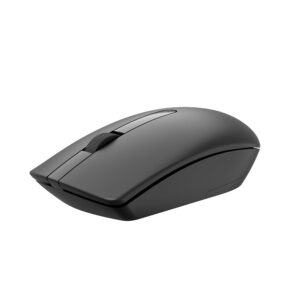
Wireless Mouse WM 115
Original price was: ₹499.00.₹399.00Current price is: ₹399.00.
Inclusive of all taxes

A simple 2.4 GHz wireless mouse for everyday work, study and browsing. The Koaty WM115 combines plug-and-play setup, 1000 DPI tracking and an ambidextrous shape.
- Reliable 2.4 GHz wireless connection
- Wireless range of up to 10 metres
- 1000 DPI optical tracking
- Comfortable for right- or left-handed use
- Plug-and-play USB receiver
- Powered by an AA battery
Products
-
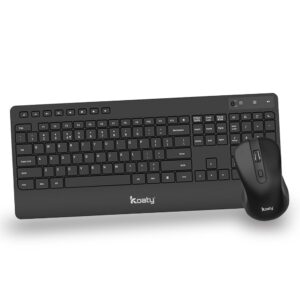
Wireless Keyboard & Mouse CW 325 Combo
Original price was: ₹1,999.00.₹1,599.00Current price is: ₹1,599.00. -
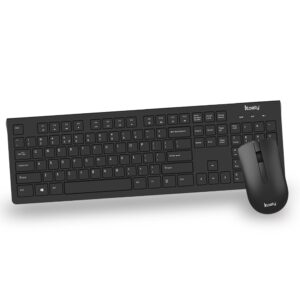
Wireless Keyboard & Mouse CW 125 Combo
Original price was: ₹1,299.00.₹999.00Current price is: ₹999.00. -
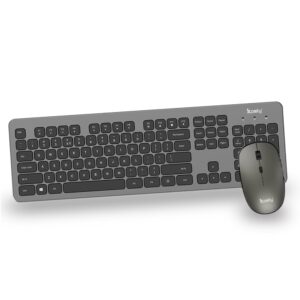
Wireless Keyboard & Mouse CW 525 Combo
Original price was: ₹3,999.00.₹3,199.00Current price is: ₹3,199.00. -
 Original price was: ₹499.00.₹399.00Current price is: ₹399.00.
 -
 Original price was: ₹699.00.₹549.00Current price is: ₹549.00.
Koaty WM115 Wireless Mouse
The Koaty WM115 is an everyday wireless mouse designed for laptops and desktop computers. Its 2.4 GHz connection offers up to 10 metres of range, while the 1000 DPI optical sensor provides precise cursor control for documents, spreadsheets, web browsing and daily office tasks.
Key Features
- Plug-and-play wireless setup: connect the supplied USB receiver and start using the mouse.
- 1000 DPI tracking: balanced cursor control for common work and study tasks.
- Ambidextrous design: suitable for comfortable use in either hand.
- Up to 10 m range: move freely around a home, classroom or office setup.
- AA battery power: easy to replace when required.
Compatibility and Box Contents
| Connectivity | 2.4 GHz wireless |
|---|---|
| System requirement | USB port |
| Compatibility | Windows 7, 8, 10 and 11; macOS; Linux |
| Box contents | Mouse, USB receiver and battery |
| Model / SKU | WM115 / 1000 |
Is the Koaty WM115 Right for You?
The WM115 is a practical, affordable wireless mouse for office work, online classes, web browsing and everyday laptop use. Need silent clicks, USB-C connectivity or multi-device Bluetooth? Explore and compare Koaty’s other models in the Koaty wireless mouse range.
Compare Koaty Wireless Mice
| Model | Connection | DPI |
|---|---|---|
| WM115 | 2.4 GHz USB-A | 1000 |
| WM315 | USB-A/USB-C | Adjustable |
| WM711 | Bluetooth + 2.4 GHz | 800/1200/1600 |
Quick Setup and Troubleshooting
- Insert the supplied battery and switch the mouse on.
- Connect the supplied receiver, or pair Bluetooth on the WM711.
- If it does not respond, check the battery and reconnect the receiver.
Frequently Asked Questions
Does the Koaty WM115 require software?
No. The WM115 is designed for plug-and-play use through its USB receiver.
What is the DPI of the WM115?
The WM115 uses 1000 DPI optical tracking.
Can left-handed users use the WM115?
Yes. Its ambidextrous design is suitable for use in either hand.
Related products

Wireless USB C Mouse WM 315
Wireless Mouse WM 115
Original price was: ₹499.00.₹399.00Current price is: ₹399.00.

Reviews
There are no reviews yet.